Start with the data you already have
Bring your spreadsheet. Get your team working from one clear place.
Upload an Excel or CSV file—or choose a ready-made table. Then organize records, automate repeatable work, build reports, and share selected rows with clear access controls.
Free planNo credit card required
Import
Excel and CSV files
Start
Ready-made tables
Share
Selected records
Orvynest Workspace
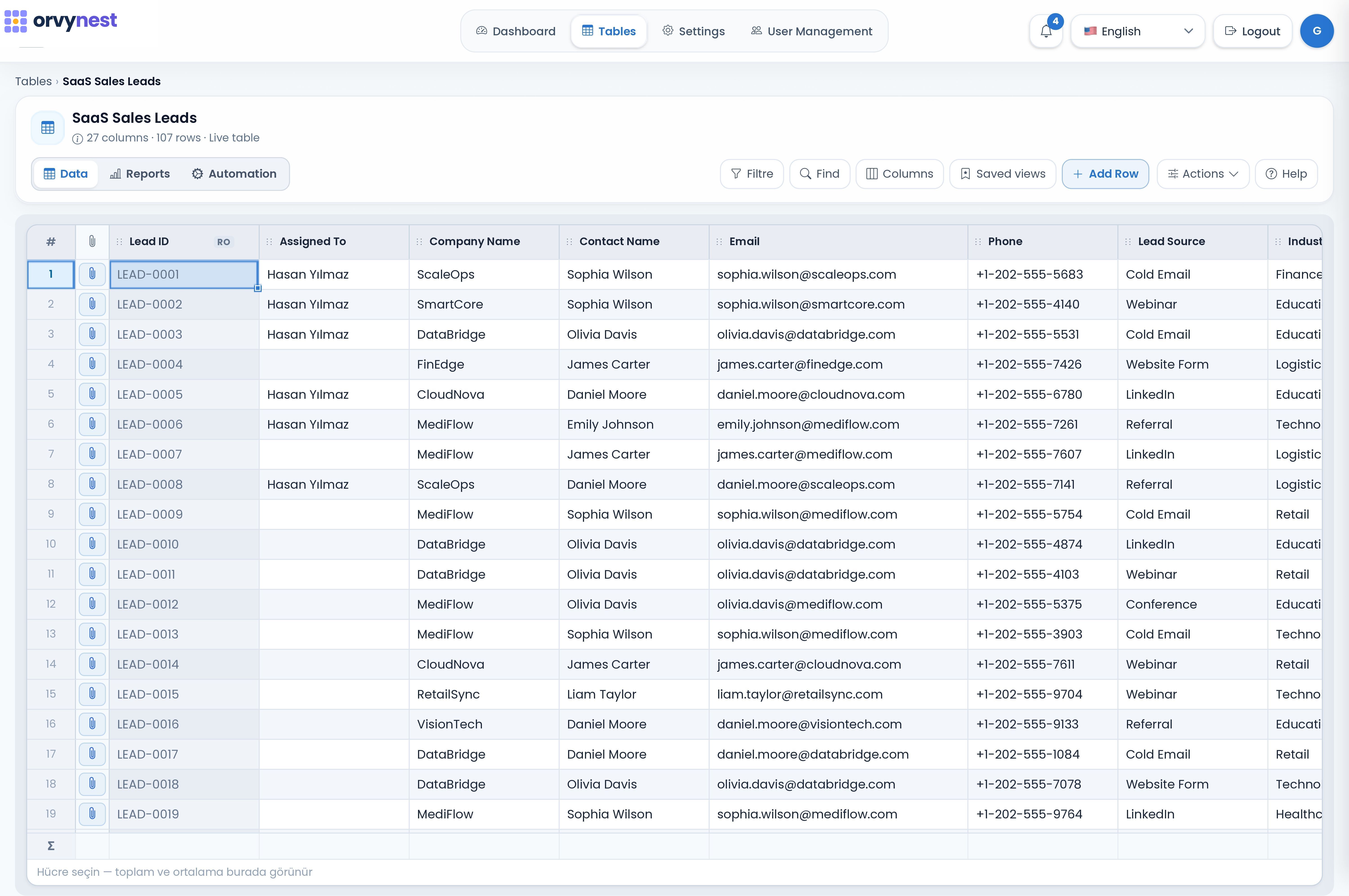
Why teams choose Orvynest
One workspace for your data, workflows, and decisions.
Orvynest helps teams replace disconnected spreadsheets with structured records, repeatable workflows, and reporting they can act on.
Organize work your way
Build tables for the information your team manages, connect related records, and give everyone a shared view of progress.
Spend less time on repeat tasks
Automations can respond to record changes and schedules, helping teams keep routine updates and notifications consistent.
See progress and find answers
Explore reports and dashboards built from the records your team updates in the workspace.
What Orvynest helps you do
Move from the data you have to a workflow your team can use.
Start with a spreadsheet or ready-made table. Keep records, repeatable workflows, reports, and controlled sharing connected as your needs grow.
Smart Tables
Import Excel or CSV data, or start with a ready-made table. Add fields, connected records, and views as you go.
Bring in customer lists, projects, inventory, requests, and other records without rebuilding them by hand.
Explore featureControlled Sharing
Share selected records and fields through a public link with expiry, one-time access, and download or print controls.
Send a customer only the project rows and columns they need to see.
Explore featureAutomation
Trigger actions on row changes or on schedule to reduce repetitive admin work.
Notify an owner when a status changes or a due date is approaching.
Explore featureReports & Analytics
Build reports from your workspace data, explore trends, and open matching records where supported.
Review open requests, project progress, or changes over time.
Explore featureProduct Experience
Start with your data. Add structure only when you need it.
Import a spreadsheet, choose a ready-made setup, or create a blank table. Organize and share the records first, then add automations and reports as your workflow grows.
Start withExcel & CSV
Learning CurveLow
AutomationNo-code
ReportsDashboards
01
Upload data and get started
Import Excel or CSV, choose a ready-made table, or start from scratch. Keep your existing information and shape it as your team learns what it needs.
- Excel and CSV import
- Ready-made starting points
- Adjust as you go
02
Share only the records people need
Create a public link for selected rows and columns. Choose an expiry period or one-time access, and control Excel downloads and printing.
- Selected rows and columns
- Expiry or one-time links
- Download and print controls
03
Automate work and see what is changing
Add no-code rules for repeatable tasks, then use reports and dashboards to review progress from the same records.
- Scheduled and record-based automations
- Reports from table data
- Charts and KPI summaries
Automations & reporting
Keep repeatable work moving. See progress clearly.
Set rules for routine updates and notifications, then use reports and dashboards to review the same workspace records.
Track due dates and delays
Auto-update statuses
Review status and performance trends
Send notifications automatically
Automations & Reports
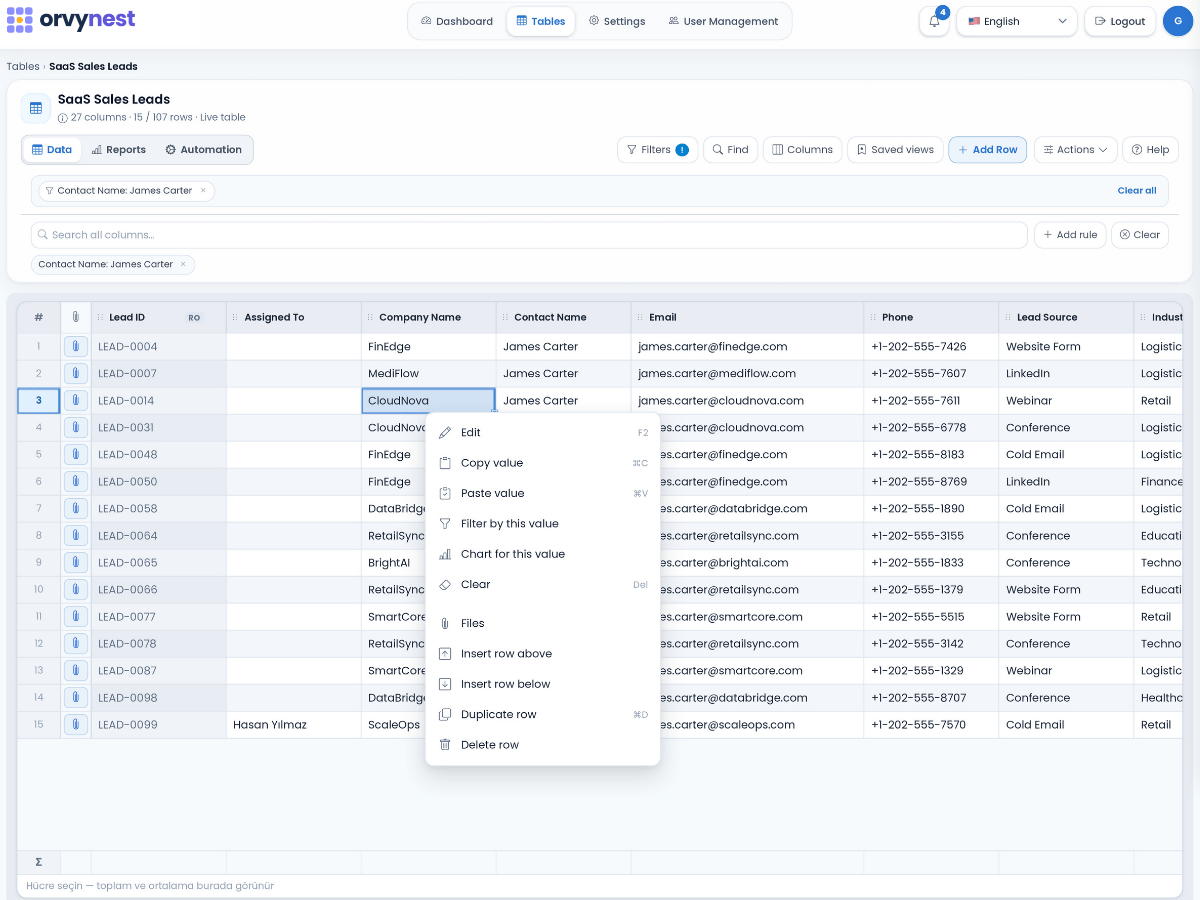
Use Cases
One workspace for many kinds of work.
Build trackers and connected workflows for customers, projects, requests, assets, finance, and the processes your team relies on.
Service Business Management
Coordinate jobs, field teams, customer records, and follow-ups in one operational system.
View use caseMaintenance Management
Track preventive schedules, reactive issues, technicians, and closure quality with less manual coordination.
View use caseFinance Tracking
Centralize invoice tracking, approvals, due dates, and collection workflows with stronger visibility.
View use caseField Operations Management
Keep field assignments, status, due dates, and operational reporting visible across distributed teams.
View use caseGet started
Start with one workflow. Build from there.
Create a free workspace, shape it around a real process, and add more tables, automation, and insights as your needs grow.
Free plan · No credit card required